
CAPITAL PLAN OPTIMIZATION
See what's planned before you lock yours
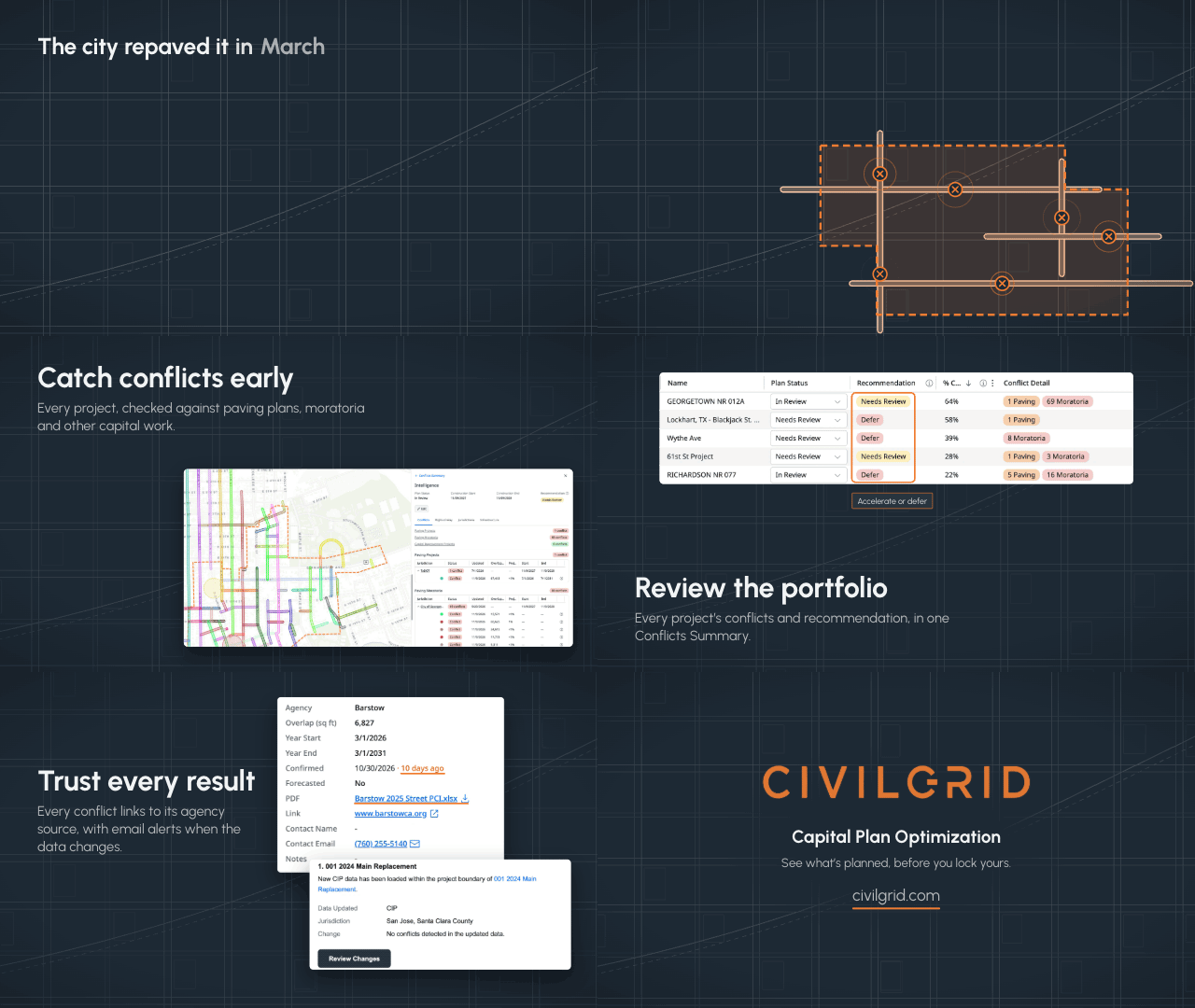
Capital Plan Optimization checks every project in your plan against city paving plans, paving moratoria and other capital work, so Program and Portfolio Managers can see what’s planned around them. CivilGrid helps you commit to projects with confidence and execute efficiently.
How it works
Catch conflicts early
Paving plans, paving cut moratoria and CIP for each project, checked against each project’s area and construction dates.
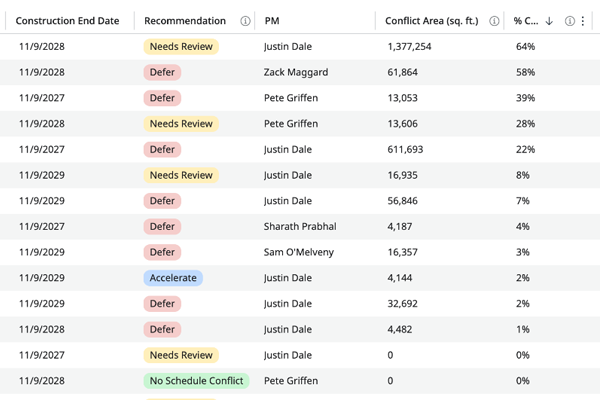
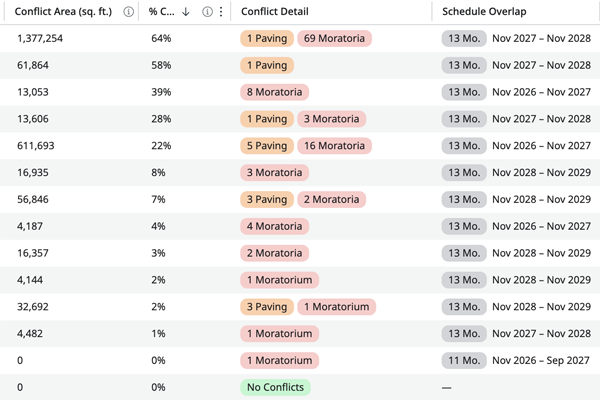
Review the portfolio
Every project in one view, each ranked as Accelerate, Defer, Needs Review or No Conflict.
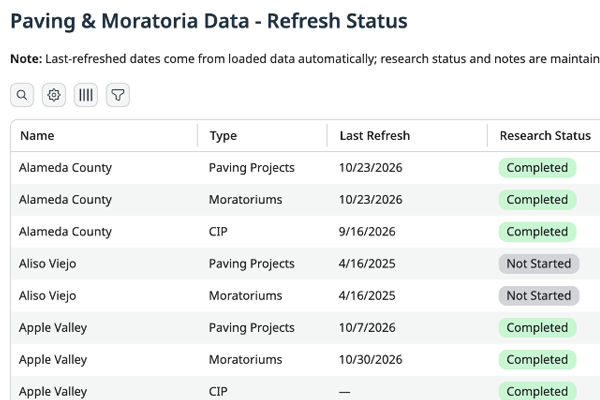
Trust every result
Agency source and refresh date on every conflict, plus a weekly email summary of conflict changes.
Let’s run your plan
Pick a region or program. We’ll check it against city paving plans, paving moratoria and
Capital Improvement Projects, then review the Conflict Summary with you.

Frequently asked questions
What does Capital Plan Optimization check?
It checks every project in your plan against city paving plans, paving cut moratoria, Capital Improvement Projects, and roads, waterways and other permitting flags. Each conflict is checked against the project’s area and construction dates.
Who is it for?
Program and Portfolio Managers selecting projects, and Project Managers who need to know what’s planned around a specific project.
When should we use it?
While your setting your plan. Capital Plan Optimization helps you find conflicts while choosing projects, not at permitting or the pre-con walk.
How are projects ranked?
Every project in your plan appears in one view, ranked as Accelerate, Defer, Needs Review or No conflict.
How do I know the data is current?
Every conflict shows its agency source and refresh date, and a weekly email summary flags new and changed conflicts across your projects.